
If you know all about actions, have a bunch and just want to know how to execute them in the fastest possible way, check out our How to Use Our Interface article.
The Missing Link Between Actions and Productivity
Instead of short, unhelpful prompts or templates, DatBot introduces true workflow automation for repeatable AI workflows. This is the capability we’ve been missing to really dial in our AI usage. Think of it as your new agent—able to repeatably, reliably and automatically execute complex tasks as long as you can break them down into a series of actions.
What Makes DatBot Workflows Different?
1. Automated Sequential Actions
- Chain multiple actions together for complex tasks
- Execute workflows with a single click
- Watch as your AI agent executes your action sequence
- Dynamic variables maintain context between steps to ensure consistency
- Built-in retrieval-augmented generation (RAG) ensures that you pull in the most relevant data from your private knowledgebase
- Agent Mode actions can generate images, videos, and audio directly in your workflow
2. Organized Action Management
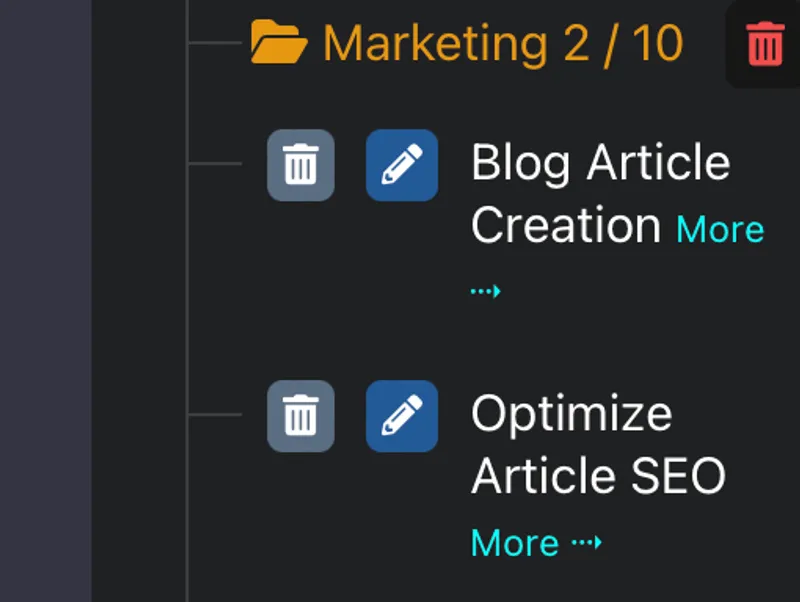
- Folder-based organization for different use cases
- Drag-and-drop reordering of actions
- Easy editing and version control
- Share workflows with team members
3. Professional Workflow Design
- Create repeatable processes for consistent results
- Perfect for businesses needing standardized AI interactions
- Save hours by automating multi-step conversations
- Built-in templates for common use cases
Real-World Use Cases
Social Media Content Creation Workflow
- Research Phase
- Create target audience persona
- Analyze competitors
- Develop a comprehensive growth strategy
- Provide a detailed posting strategy
- Content Creation
- Structure content based on research
- Identify main topics and subtopics
- Create the content
- Generate accompanying images (Agent Mode)
- Analytics
- Suggest test methods for content
- Analyze the results after posting
Sales Outreach Workflow
- Lead Research Actions:
- Analyze prospect info
- Gather relevant news and developments
- Identify decision makers and gatekeepers
- Personalization Strategy Actions:
- Create custom value propositions
- Generate company specific talking points
- Develop personalized ice breakers
- Outreach Execution Actions:
- Draft personalized emails
- Craft sequences incorporating personalization
- Generate follow-up variations to test
- Response Management Actions:
- Analyze reply sentiment
- Suggest appropriate next steps
- Create meeting scheduling messages
Code Development Pipeline
- Requirements Analysis Actions:
- Break down project requirements
- Identify technical constraints
- Architecture Planning Actions:
- Design system components
- Plan implementation strategy
- Implementation Actions:
- Generate code structure
- Write unit tests (or reverse for TDD)
- Testing and Review Actions:
- Verify functionality
- Optimize performance
Data Analysis Workflow
- Data Gathering Actions:
- Extract relevant data points from documents or websites
- Validate data integrity
- Processing Actions:
- Clean and normalize data
- Perform initial analysis
- Insights Generation Actions:
- Identify patterns and trends
- Generate visualization code
- Create charts and infographics (Agent Mode)
- Recommendations Actions:
- Develop actionable insights
- Create presentation-ready reports
Customer Service Automation
- Initial Response Actions:
- Acknowledge customer inquiry
- Gather basic information
- Problem Diagnosis Actions:
- Analyze issue details
- Identify potential solutions
- Solution Implementation Actions:
- Provide step-by-step guidance
- Verify resolution
- Follow-up Actions:
- Check customer satisfaction
- Document interaction
Email Marketing Workflow
- Campaign Planning Actions:
- Define target audience segments
- Set campaign objectives
- Research trending topics
- Content Creation Actions:
- Generate subject line variations
- Write email body content
- Design A/B test scenarios
- Optimization Actions:
- Analyze previous campaign metrics
- Suggest improvements based on data
- Generate preview text options
- Follow-up Strategy Actions:
- Create nurture sequences
- Design re-engagement campaigns
- Generate segment-specific content
Getting Started with Workflows
Ready to transform your AI interactions? Here’s how to begin:
- Sign up for a DatBot account
- Create actions (or use ours) — See our step-by-step guide
- Organize them in a folder, in the order you want to execute them
- Click the ‘play’ button to execute your workflow
- Test and refine iteratively
- …profit!
The Future of AI Interaction
Workflow automation is more than a feature—it’s a fundamental change in what AI can do for us. By turning chats into automated sequences, we’re not just saving time—we’re creating new possibilities for us, our businesses and our customers.
With Agent Mode, your workflows can now research the web, generate images, create videos, and produce audio—all automatically, with results appearing directly in your chat.
Ready to see what AI workflows can do? Take DatBot for a spin.



