
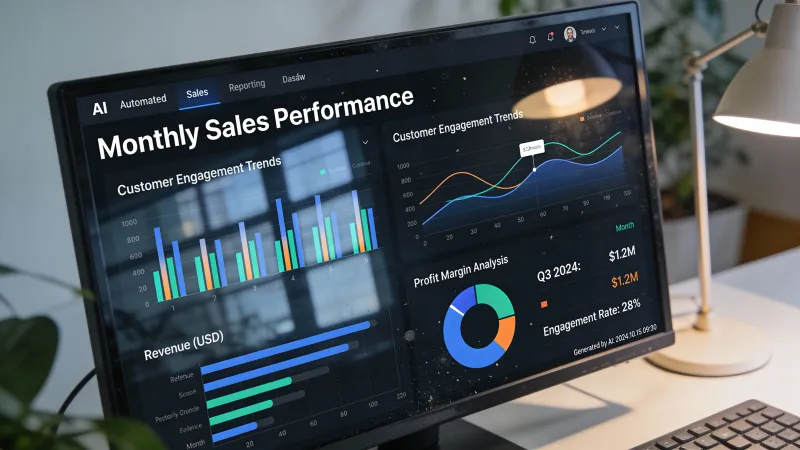
Nobody starts an agency because they love making reports. Yet most marketers spend over 6 hours weekly on data compilation and report creation. That’s a day of productive time, every week, spent formatting spreadsheets.
For a 10-person agency, that’s essentially one full-time employee doing nothing but reports. Not strategy. Not client work. Just pulling data into decks.
AI reporting automation changes this math fundamentally. Not by eliminating reporting, but by eliminating the tedious parts so you can focus on what reports should actually do: communicate insights and demonstrate value.
What AI Reporting Actually Does
Let’s be specific about what’s automated and what isn’t.
AI handles well:
- Data aggregation from multiple sources
- Standard metric calculations and comparisons
- Trend identification and pattern recognition
- Anomaly detection (things that changed significantly)
- Natural language summaries of numerical data
- Format generation and visual creation
AI handles poorly:
- Explaining why results happened
- Recommending strategic changes
- Understanding client-specific context
- Communicating politically sensitive information
- Knowing which results matter most to each stakeholder
The automated part saves hours. The human part creates value. A good AI reporting system maximizes the former without compromising the latter.
The Time Savings Are Real
Agencies implementing AI reporting consistently report significant time reductions.
Some AI reporting tools save 15+ hours weekly for agencies, according to Swydo’s analysis of report automation tools. Not every agency hits those numbers. But the range consistently falls between 50-80% reduction in reporting time.
Here’s what that looks like in practice:
Before automation:
- Manual data export from 5-6 platforms: 2 hours
- Data cleanup and normalization: 1 hour
- Report formatting and visualization: 2 hours
- Writing commentary and insights: 2 hours
- Review and finalization: 1 hour
- Total: 8 hours per monthly client report
After automation:
- AI aggregates data automatically: 0 hours (runs overnight)
- AI generates baseline report: 0.5 hours (review and quality check)
- Human adds strategic commentary: 1 hour
- Customization and client-specific notes: 0.5 hours
- Total: 2 hours per monthly client report
That’s 6 hours saved per client per month. At 20 clients, that’s 120 hours monthly. Enough capacity to take on new clients without adding headcount.
The Business Case Beyond Time
Time savings are easy to measure. The strategic benefits are harder to quantify but often more valuable.
Client retention improves. Some agencies report client churn dropped 40% after implementing AI reporting. Why? Clients feel more informed. Reports arrive consistently. Insights come faster. The relationship feels more attentive even with less manual effort.
Faster response to problems. AI monitoring can flag issues immediately. Anomaly detection alerts you when metrics drop before the monthly report reveals old news. You can reach out to clients proactively: “We noticed a traffic dip last Tuesday and already investigated.”
Better strategic conversations. When you’re not spending reporting time on data manipulation, you spend it on interpretation and recommendations. Reports become conversation starters rather than data dumps.
Scalability. Agencies using automation can serve 3x more clients without adding headcount through efficiency gains. That’s a structural change to agency economics.
Building an Automated Reporting System
Several approaches work. The right one depends on your existing tools, technical capacity, and client needs.
Integrated Platform Approach
Tools like AgencyAnalytics, Swydo, or ReportsMate are built specifically for agency reporting automation. They connect to marketing platforms, pull data automatically, and generate reports on schedule.
AgencyAnalytics’ AI tools surface valuable insights and speed up report generation, including automatic summary generation and anomaly detection.
Pros: Purpose-built, lower technical barrier, most integrations already exist.
Cons: Subscription costs, limited customization, possible lock-in.
Data Warehouse + AI Approach
More sophisticated agencies build data warehouses that collect all client data, then layer AI analysis on top. Tools like Google BigQuery or Snowflake handle storage. AI tools handle analysis and narrative generation.
Pros: Complete customization, ownership of data, flexibility.
Cons: Requires technical resources, longer setup, ongoing maintenance.
Hybrid Approach
Use an integrated platform for data collection and basic reporting. Add AI tools for insight generation and narrative writing. Customize presentation in your own templates.
This balances speed-to-value against long-term flexibility. Start with the platform, evolve toward more custom solutions as you understand what you need.
The Insight Generation Layer
Raw data automation is straightforward. The harder problem is automated insight generation.
Here’s what good AI insight generation looks like:
Surface-level insights (any decent AI can do this):
- “Website traffic increased 12% month-over-month”
- “Email open rates are above industry average”
- “Cost per conversion decreased compared to last month”
Useful insights (requires better configuration):
- “Traffic increased 12%, driven primarily by organic search. The blog posts published on [dates] account for most of the new traffic.”
- “Email open rates at 34% exceed the 21% industry average, suggesting strong list quality and subject line effectiveness.”
- “Cost per conversion dropped 18%, but conversion volume also decreased. The campaign may be running more efficiently but reaching fewer qualified prospects.”
The difference is context. AI needs to know what matters, what benchmarks are relevant, and what connections to draw.
Getting there requires:
-
Clear configuration. Tell the AI what metrics matter most for each client. What are their goals? What would count as good vs. concerning performance?
-
Historical context. AI improves when it knows past performance patterns. A 20% traffic drop might be alarming or normal depending on history.
-
Industry benchmarks. AI needs comparison points to evaluate whether performance is good or just average.
-
Client-specific knowledge. Campaign changes, website updates, seasonal patterns. This context turns data into interpretation.
Most agencies find the setup work is front-loaded. Configure thoroughly once, then maintenance is minimal.
Report Types and Automation Levels
Different report types suit different automation levels.
Fully Automated: Monitoring Reports
Daily or weekly snapshots of key metrics. No human commentary needed. Purpose is tracking, not analysis.
AI generates these entirely. Human reviews occasionally to ensure data accuracy.
Heavily Automated: Standard Monthly Reports
Regular reporting cadence with consistent format. AI handles data, calculations, basic commentary. Human adds strategic observations and recommendations.
Time split: 80% AI, 20% human.
Moderately Automated: Quarterly Business Reviews
More strategic, higher stakes. Data foundation automated. But narrative, recommendations, and presentation require significant human input.
Time split: 50% AI, 50% human.
Lightly Automated: Strategic Presentations
Board presentations, annual reviews, pitch materials using reporting data. AI helps with data prep and initial analysis. Human does most of the creative and strategic work.
Time split: 20% AI, 80% human.
Design your system for all four levels. Automate what you can at each tier without compromising what requires human judgment.
Implementation Steps
Getting from manual reporting to automated reporting follows a predictable path.
Month 1: Audit and Select
Document current reporting processes. What data sources? What time spent where? What do clients actually use from reports?
Select and set up your automation platform. Connect initial data sources. Verify data accuracy against manual pulls.
Month 2: Build and Test
Create report templates for your most common client types. Configure AI insight generation. Run parallel reports (manual and automated) to verify quality.
Test with internal stakeholders before showing clients.
Month 3: Soft Launch
Roll out to 3-5 clients who are relationship-strong and feedback-willing. Explain the improvement to reporting. Gather reactions.
Refine based on feedback. Adjust templates, improve insight generation, fix any data issues.
Month 4+: Full Deployment
Expand to all clients systematically. Monitor for issues. Continue refining AI configuration based on what works.
By month 6, automated reporting should be standard operation.
Common Mistakes
Automating garbage. If your current reports aren’t valuable, automating them just produces worthless reports faster. Fix report quality before automating report production.
Hiding from clients. Some agencies worry clients will devalue reports if they know AI helps. Usually the opposite happens. Clients appreciate that you’re using modern tools to deliver better insights faster.
Over-trusting AI output. AI makes mistakes. Data connections fail. Calculations error. Review automated reports before sending. Especially early in implementation.
Losing the relationship element. Reports are relationship touchpoints. Fully automated, zero-human-touch reporting loses that function. Keep some human element in how reports are delivered and discussed.
Underinvesting in setup. The quality of automated reporting directly reflects configuration quality. Rushing setup produces mediocre output indefinitely.
Measuring Success
Track these metrics to know if your AI reporting system is working:
Efficiency metrics:
- Hours per report (should drop 50-80%)
- Reports delivered per team member
- On-time delivery rate (should improve)
Quality metrics:
- Client satisfaction with reports
- Questions requiring clarification (should decrease)
- Insight quality ratings from account managers
Business metrics:
- Client retention (especially vs. historical)
- Report-related client conversations
- Capacity for additional clients
If efficiency improves but clients complain, you’ve automated poorly. Both need to move together.
The Insight Economy
Here’s the bigger picture.
Reports themselves aren’t valuable. Insights are valuable. Actions based on insights are even more valuable.
Traditional reporting inverted the time allocation: lots of time on data compilation, little on insight development, almost none on action planning.
AI reporting flips this. Minimal time on data. Substantial time on interpretation. Meaningful time on recommendations.
This changes what clients pay for. They’re not paying for data access. They can get that from their platform dashboards. They’re paying for expertise in understanding what data means and what to do about it.
Position your automated reporting around insight delivery, not data delivery. The report is the vehicle. The insight is the cargo.
Connection to Other Systems
Reporting automation connects to broader agency operations.
Data from reports feeds into proposal generation with concrete proof points. See our guide on AI proposal generation.
Reporting insights inform client communication strategy. Issues flagged in reports become proactive outreach topics. See our guide on AI client communication.
The efficiency gains from reporting contribute to overall workflow optimization.
And reporting automation itself is a service you can offer clients who run their own marketing. See our guide on AI service offerings.
Build reporting automation not as an isolated improvement but as part of an integrated agency operations system. The value compounds when pieces connect.



