
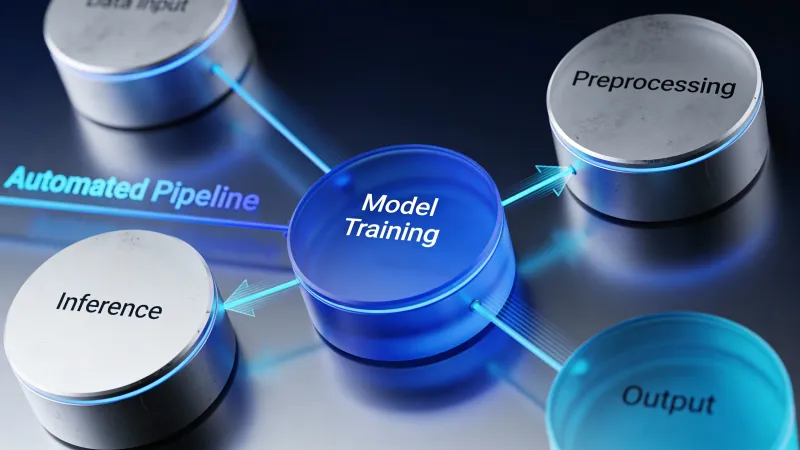
Workflow optimization sounds corporate. What it actually means: making work flow better so you can do more with less frustration.
Most agencies have workflows that grew organically. They started sensible when the team was five people. Now they’re ten people and the processes creak. Handoffs get dropped. Context gets lost. People reinvent solutions to problems that were already solved last month.
AI offers a different path than just adding more process or more people. It handles the mechanical parts of workflows so humans can focus on judgment and creativity. When it works, agencies feel like they’ve added capacity without adding complexity.
The Current State of Agency Operations
Some framing on what’s normal and what’s possible.
With the global AI market valued at approximately $279.2 billion in 2024 and projected to grow at 35.9% CAGR, investment in AI workflow automation is accelerating across industries. Agencies are part of that trend.
According to IDC, organizations implementing AI orchestration frameworks experience a 35% improvement in decision-making speed and a 45% reduction in redundant operations. Those are operational numbers, not marketing claims. They point to meaningful efficiency gains.
But here’s the nuance. Nearly 70% of marketers reported facing technical challenges or limitations when working with AI marketing software. Adoption is happening. Results are mixed. Implementation quality matters more than tool selection.
Where AI Actually Helps in Agency Workflows
AI’s strengths map to specific workflow problems. Understanding the mapping helps you apply AI where it will actually help rather than where it sounds impressive.
Handoff Friction
When work moves between people or stages, things get lost. The brief wasn’t complete. The feedback wasn’t clear. The context didn’t transfer.
AI helps by:
- Auto-generating transition documents from project data
- Summarizing previous work and decisions for incoming team members
- Flagging incomplete handoffs before work proceeds
- Maintaining context memory that doesn’t depend on individual knowledge
Repetitive Administration
Tasks that follow predictable patterns consume time without adding value.
AI handles:
- Status update compilation from multiple sources
- Meeting prep document generation
- Invoice creation from time tracking
- Resource allocation calculations
- Project setup checklists
AI workflow automation tools save 15-20 hours weekly through intelligent automation, according to platform research. That’s roughly half a person’s time at a typical agency.
Decision Support
Not decisions themselves, but the information gathering that supports them.
AI accelerates:
- Competitive analysis for strategy decisions
- Historical data review for similar past projects
- Resource availability assessment
- Risk factor identification
Humans still decide. AI ensures they decide with better information, faster.
Quality Consistency
Human work quality varies. Not a criticism, just reality. Energy, attention, and time constraints create variation.
AI provides:
- Checklist verification against standards
- Error detection before delivery
- Format and style consistency enforcement
- Missing element identification
The baseline stays consistent. Human excellence still adds value on top.
Where AI Doesn’t Help (Yet)
Being clear about limitations prevents disappointment.
Creative direction. AI can generate creative options. It can’t reliably judge what’s good or strategically right. Human creative leadership remains essential.
Client relationship judgment. When to push back, when to accommodate, when to raise concerns. These require understanding the relationship dynamics AI can’t access.
Team management. Motivation, coaching, conflict resolution, career development. These are human leadership functions.
Novel problem-solving. When the situation doesn’t match patterns, AI struggles. Genuinely new challenges need human improvisation.
Ethical and political navigation. Client organizations have internal politics. Projects have ethical considerations. AI doesn’t understand these contexts.
Don’t automate these areas. Staff them with capable humans and protect their time for this work.
The Workflow Audit
Before optimizing, understand what exists. Most agencies don’t have their workflows documented accurately. The documentation (if it exists) describes intention, not reality.
Step 1: Map Actual Flow
Follow actual work through the agency. Not the process diagram. The real path work takes.
- Where does work enter the system?
- Who touches it and in what order?
- What decisions get made where?
- Where does work wait?
- Where do things go wrong?
This mapping reveals the actual workflow, which usually differs from the intended workflow.
Step 2: Identify Friction Points
Mark places where:
- Work waits for someone who’s at capacity
- Information has to be re-gathered because it wasn’t passed along
- Decisions stall because decision-makers lack context
- Quality issues emerge requiring rework
- The same work gets done multiple times
These friction points are optimization opportunities.
Step 3: Categorize the Problems
For each friction point, identify the nature of the problem:
- Information flow problem: Right info isn’t available at the right time
- Capacity problem: Not enough people for the work volume
- Skill problem: People don’t know how to do something efficiently
- Tool problem: Systems don’t support the work well
- Process problem: The sequence or structure doesn’t serve the goal
AI helps with information flow and capacity problems. Skill and process problems need training and redesign. Tool problems need different tools.
Step 4: Prioritize by Impact and Feasibility
Not all improvements are equal. Prioritize based on:
- How much time/cost does this friction point consume?
- How often does it occur?
- How technically feasible is AI-assisted improvement?
- How risky is the implementation?
Start with high-impact, high-feasibility improvements. Build from there.
Building the AI-Assisted Workflow
With friction points identified and prioritized, build improvements systematically.
Automation Layer
The simplest AI application: automate repetitive tasks that follow rules.
Examples:
- When a project reaches X stage, automatically generate Y document
- When a deliverable uploads, automatically notify Z people
- When time entries reach threshold, automatically flag for review
Tools like Zapier, Make, and platform-native automations handle this layer. AI adds intelligence: decisions about which path to take, adjustments based on context.
Intelligence Layer
Beyond rule-following, AI adds pattern recognition and generation.
Examples:
- Generate first drafts of recurring documents based on project data
- Predict project risks based on historical patterns
- Recommend resource allocation based on team performance data
- Summarize long threads or documents for quick review
This layer requires AI tools that understand your specific context. General-purpose AI helps. Custom-trained or extensively prompted AI helps more.
Integration Layer
Connect systems that currently don’t talk to each other.
Examples:
- Project management status flows to client communication
- Time tracking informs resource planning
- Analytics insights inform creative briefs
Gartner predicts that by 2025, 70% of newly developed applications will use low-code or no-code technologies. Integration becomes possible without developer resources.
Implementation Approach
Phase implementation to manage risk and build capability.
Phase 1: Quick Wins (Month 1)
Automate the most obvious repetitive tasks. Status update generation. Meeting agenda creation. Simple notifications and reminders.
These changes are low-risk and demonstrate value immediately.
Phase 2: Handoff Optimization (Month 2-3)
Improve how work transfers between stages and people. Better briefs, better context transfer, better quality checks at transitions.
This requires more configuration but addresses significant friction.
Phase 3: Intelligence Integration (Month 4-6)
Add AI-generated insights, predictions, and recommendations to decision points.
This layer takes longer to refine because output quality depends on training and prompting quality.
Phase 4: Continuous Improvement (Ongoing)
Monitor workflows for new friction points. Refine AI outputs based on feedback. Expand automation to additional processes.
Workflow optimization isn’t a project. It’s an ongoing practice.
Measuring Workflow Improvement
Track metrics that matter for your business, not vanity metrics about automation volume.
Efficiency Metrics
- Hours per deliverable (by type)
- Cycle time from project start to completion
- Time spent in administrative vs. productive work
- Capacity utilization rates
Quality Metrics
- Rework rates
- Error frequency
- Client satisfaction scores
- Internal satisfaction with processes
Business Metrics
- Revenue per employee
- Profit margin trends
- Client retention rates
- Employee retention rates
If efficiency improves but quality drops, you’ve optimized wrong. If efficiency and quality improve but business results don’t, look for missing links.
Common Implementation Mistakes
Over-automating too fast. Each automation is a system that needs maintenance. Too many too fast creates technical debt and confusion.
Automating bad processes. A bad process runs faster is still a bad process. Fix the design before automating the execution.
Ignoring change management. New workflows change how people work. Without proper introduction and training, teams resist or circumvent new systems.
Building without feedback loops. If you can’t tell whether an automation is working, you can’t improve it. Build measurement into the system.
Focusing on technology over outcomes. The goal isn’t “use AI more.” The goal is “agency runs better.” Stay focused on outcomes.
The Team Dynamic
Workflow optimization changes jobs. Be thoughtful about communication.
What to communicate:
- Why changes are happening (not “AI is replacing your work” but “we’re removing tedious parts so you can focus on valuable work”)
- What specifically changes and when
- How people can give feedback and raise concerns
- What success looks like
What to watch for:
- Anxiety about job security (address directly)
- Resistance to new processes (understand why)
- Overreliance on new tools (maintain human judgment)
- Uneven adoption across teams (identify blockers)
The technology is usually easier than the people dynamics. Plan accordingly.
Connection to Other Agency AI Initiatives
Workflow optimization touches everything else.
Optimized workflows make content production faster. Better handoffs mean better creative work.
Optimized workflows improve reporting. Data flows cleanly from work systems to reporting systems.
Optimized workflows enable better client communication. Status updates have accurate information because they draw from reliable project data.
Optimized workflows support proposal generation. Case studies and capabilities are documented and accessible.
Optimized workflows make onboarding smoother. New clients enter a system that actually works.
Think of workflow optimization as the foundation. Other AI applications build on top of functional operations.
Starting Point
If this feels overwhelming, start small.
-
Pick one workflow that annoys everyone. Something that’s clearly broken.
-
Map it honestly. How does work actually flow today?
-
Identify one friction point to address first.
-
Implement one automation that addresses that friction.
-
Measure the impact. Did it help? What did you learn?
-
Iterate. Apply learnings to the next friction point.
One workflow, one friction point, one automation. Prove value, then expand.
The agencies running smoothly at scale didn’t get there by implementing everything at once. They built systematically, learning as they went. You can do the same.
AI makes better workflows possible. Building them still takes intentional effort. But the payoff is substantial: an agency that does more with less stress and better results.



