
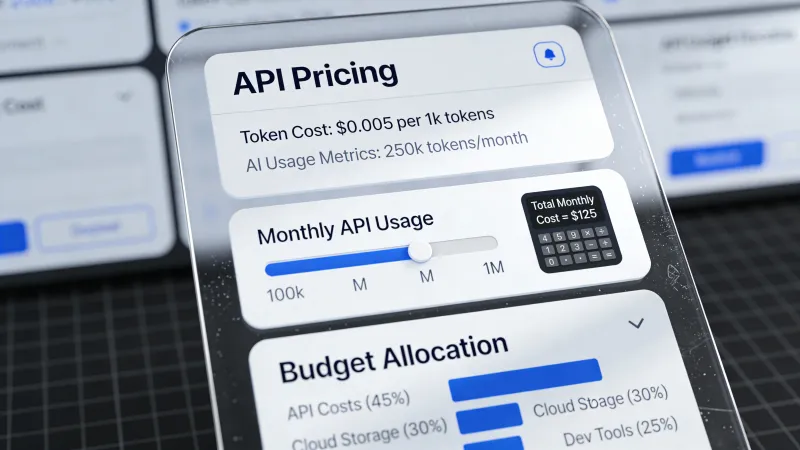
The first time you see an AI API bill, it looks wrong.
Pennies per request. Fractions of cents per token. You think: this is basically free. Then you deploy to production and watch your credit card statement climb toward four figures in a week, and suddenly the economics feel very different.
The pricing model is straightforward once you understand it, but most people learn by getting surprised first, which is an expensive way to learn anything.
What You’re Actually Paying For
Every time you send a prompt to an AI model, thousands of GPUs spring into action. Billions of calculations happen. The electricity bill alone for running inference at scale is staggering. You’re not paying for the training that already happened. You’re paying for the compute that happens right now, every single time you make a request.
The three main ways to pay break down like this:
Subscriptions run $20 to $200 per month for access to a chat interface with usage caps baked in. ChatGPT Plus, Claude Pro, Gemini Advanced. Simple. Predictable. Limited.
API pricing means you pay per token, which is the unit of measurement for text going in and out of the model. Every word costs money. Every response costs more. Variable costs, but complete control over integration.
Enterprise agreements involve custom negotiation for large organizations, with volume discounts, service level agreements, and dedicated support baked into multi-year commitments.
For anyone building something beyond casual chat, API pricing is the game.
Tokens Are Weird
A token is roughly 3 to 4 characters. About 75% of a word on average. “Hello” is one token. “Anthropomorphic” is four.
Why not just charge per word? Because the models don’t see words. They see tokens, which are the actual units of computation happening under the hood. A 1,000-word document runs about 1,333 tokens. A typical back-and-forth conversation with an AI might use 2,000 to 5,000 tokens counting both your questions and the responses.
Pricing is quoted per million tokens. When you see “$2.50 per 1M input tokens,” that translates to:
- 1,000 tokens costs a quarter of a cent
- 10,000 tokens costs 2.5 cents
- 100,000 tokens costs 25 cents
These numbers look trivial until you multiply by actual usage volumes, and then they look less trivial very quickly.
Output Costs More Than Input
Here’s where most people’s mental model breaks.
Output tokens cost 3 to 10 times more than input tokens across virtually every provider. The model works harder to generate new text than to read existing text. Reading is relatively cheap. Writing is computationally expensive.
For GPT-4o, input runs about $2.50 per million tokens while output runs $10 per million. Claude Sonnet charges $3 input and $15 output. The pattern holds everywhere.
This means a prompt with 500 input tokens and 500 output tokens doesn’t cost the same as 1,000 tokens at some blended rate. The output dominates. In that example, output costs four times what input costs despite being the same token count.
The implication for cost optimization is clear: controlling output length matters more than trimming your prompts.
The Price Spread Is Enormous
Current pricing for 2026 ranges from fractions of a penny to tens of dollars per million tokens, and the model you pick determines which end of that spectrum you land on.
The budget tier handles most tasks fine. Gemini 2.5 Flash runs $0.15 input and $0.60 output per million tokens. Claude Haiku sits at $1 input and $5 output. These models crush 70 to 80 percent of typical business use cases.
The mid tier delivers noticeably better quality for 10 to 20 times the cost. Claude Sonnet at $3 input and $15 output. GPT-4o at similar rates. The jump in capability justifies the premium for tasks requiring nuance or complex reasoning.
Premium models charge top dollar. Claude Opus runs $5 input and $25 output for the latest version. Some reasoning-focused models like OpenAI’s o1 series charge $15 input and $60 output. These exist for tasks where quality trumps everything else.
Then there’s DeepSeek, which offers $0.28 input and $0.42 output for competitive capability. The catch is that it’s a Chinese-developed model, which matters for some enterprise use cases involving compliance or data residency requirements.
The same workload can cost $17 per month or $500 per month depending purely on model selection.
How Developers Actually Experience This
The developer community has plenty to say about the learning curve.
One developer building a feedback analysis tool described their wake-up call: “I noticed how quickly the costs can spiral out of control. A simple task routed to GPT-4 by mistake, an inefficient prompt, or running the same query over and over—it all adds up.”
That experience is common. The gap between “this seems cheap” and “wait, my bill is how much?” can close fast.
Another developer shared their cost-cutting journey after seeing a $70 monthly bill: “Dropped Claude Sonnet entirely—tested both models on the same data, Haiku actually performed better at a third of the cost.” They got monthly costs down to pennies by filtering irrelevant requests before they ever hit the API and shortening outputs to abbreviations where full words weren’t needed.
Model selection shows up repeatedly as the biggest lever. One Hacker News commenter noted: “Gemini performs similar to the GPT models, and with the cost difference there is little reason to choose OpenAI” for their home automation use case.
The pattern across these stories is consistent: most projects over-spec on model capability initially, then optimize down once the bills arrive.
The Hidden Billing Gotchas
Some things catch people by surprise beyond just the raw token math.
Spending limits don’t always work. Users on OpenAI’s developer forum reported being charged $300 to $1,000 above their hard limits, with one noting simply: “I spent way more than expected. I knew it could happen, but I relied on the organization spending limit.”
Reasoning tokens are a newer cost category that trips people up. Models with “thinking” capabilities like OpenAI’s o-series generate internal reasoning tokens that count toward output costs but never appear in your visible response. A complex math problem might use 87,000 reasoning tokens to produce 500 words of visible output, and you pay for all of it.
Context window overhead is invisible but expensive. Every API call includes your system prompt, any conversation history, and any documents you’re feeding in. On a long conversation or retrieval-augmented generation setup, this overhead can represent 50% or more of your token usage before you even ask your actual question.
Making Costs Predictable
The organizations that manage AI costs well share common practices.
First, they start with cheaper models and move up only when the quality gap is demonstrable. Most tasks don’t need the expensive model. The expensive model is for when the cheaper model fails, not for when you’re unsure which to pick.
Second, they measure obsessively. As one developer put it: you can’t optimize what you don’t measure. Tools like Helicone, LangSmith, and provider-native dashboards let you attribute costs to specific features, users, or workflows.
Third, they control output length aggressively. Since output tokens dominate costs, asking for shorter responses has an outsized impact. “H/M/L” instead of “high/medium/low” sounds trivial until you multiply it by millions of classifications.
Fourth, they cache responses for repeated queries. If 20% of your queries represent 80% of your volume and those queries have stable answers, caching pays for itself immediately.
Fifth, they use batch processing when latency permits. OpenAI’s batch API offers 50% discounts on requests processed asynchronously within 24 hours. If you don’t need immediate responses, you don’t need to pay immediate prices.
What Does Reasonable Spending Look Like?
Ballpark numbers for different project phases, keeping in mind that actual costs vary wildly by use case:
A prototype eating $100 to $500 monthly is testing ideas and proving concepts, likely using budget models with some manual quality checking.
A production pilot running $500 to $2,000 monthly serves a limited user base with real workloads, right-sizing models based on what the prototype learned.
Full production ranging from $2,000 to $10,000+ monthly scales to actual user volume with active optimization based on observed usage patterns.
These ranges can shift dramatically based on your specific application. A simple chatbot might run $50 monthly. A document processing pipeline handling millions of pages might run $50,000.
The Trend Is Your Friend
Prices keep falling. Fast.
Capability that cost $30 to $60 per million tokens in 2023 now costs $2 to $10. Competition from Google, Anthropic, and open source providers keeps pushing rates down. The price decline has actually accelerated in the past year.
This has a few implications worth considering.
Projects that weren’t economical 12 months ago might work today at current rates.
Whatever you build now will get cheaper to run over time, even if you change nothing.
Locking into long-term pricing commitments at today’s rates might not make sense when next year’s rates could be substantially lower.
What This Means For You
The pricing model itself is simple: tokens in, tokens out, output costs more than input, different models cost different amounts. Everything else is optimization detail.
The hard part isn’t understanding the pricing. The hard part is building the discipline to measure what you’re spending, test whether cheaper models work for your use case, and avoid the easy mistake of defaulting to the expensive option because it feels safer.
Most projects are overpaying for capability they don’t need. Most cost problems come from model selection and output verbosity more than anything fancy. The developers who manage costs well do boring things consistently: they measure, they test cheaper options, they constrain output length, they cache repeated queries.
What would your current AI workload cost at 10x the volume? At 100x? Is the model you’re using actually necessary, or is it just the one you started with? How much of your token budget goes to context overhead versus actual useful work?
The answers to those questions matter more than the pricing tables do.



