
The pitch sounds simple. Upload your data. Ask questions in plain English. Get charts and answers without writing code.
That’s the promise of AI analytics tools. Some deliver on it. Others stumble in ways that only become obvious when you actually try to use them for real work.
I spent time digging through user experiences, testing claims, and separating marketing from reality. Here’s what I found about where these tools actually stand today.
What AI Analytics Tools Actually Do
At their core, these tools translate natural language into code. You type a question. The AI writes SQL or Python behind the scenes. Then it runs that code against your data and shows you the result.
This sounds magical. It often isn’t.
Paul Bradshaw, a data journalism educator who tested multiple AI tools on the same dataset, put it bluntly in his Online Journalism Blog review: “The good news for those hoping to use genAI for data analysis is that these tools can perform accurately on the calculations that they make.” But then comes the catch: “The bad news is that those aren’t always the right calculations to answer the question you thought you were asking.”
That gap between what you asked and what the AI computed is where things get messy.
When you type “What’s our average deal size this quarter?” the AI has to make assumptions. Which date field defines “this quarter”? Does “deal” mean closed deals or all opportunities? What about currency conversion for international sales? The AI picks answers to these questions without telling you, and sometimes it picks wrong.
The Major Players and What Makes Them Different
Three categories have emerged. Traditional BI tools with AI bolted on. Purpose-built AI analytics platforms. And the generalist chatbots that people keep trying to use for data work.
Traditional BI with AI Features
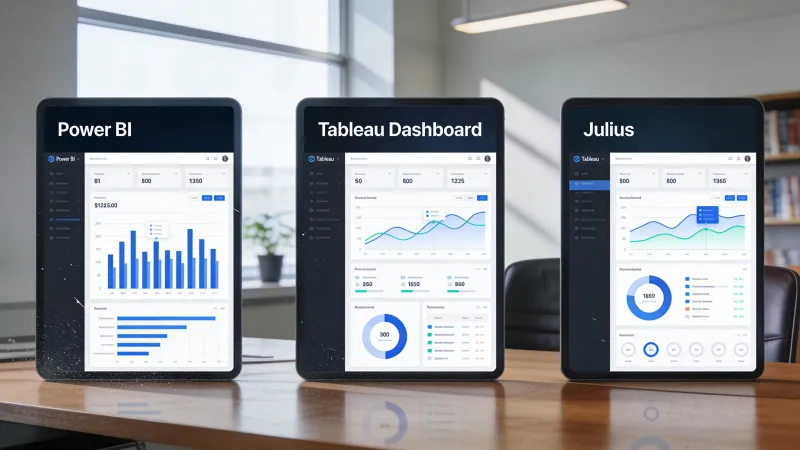
Power BI added Copilot features in 2025. You can ask questions about reports in natural language, and Copilot will generate DAX calculations or suggest visualizations. The integration with Microsoft’s ecosystem is the real draw. If your data already lives in Excel, SharePoint, and Azure, Power BI connects without friction.
The AI features feel like additions rather than foundations, though. Power BI was designed for analysts who know what they’re doing with data. Natural language queries work, but the interface still assumes you understand concepts like measures and dimensions and semantic models.
Tableau has been the visualization leader for over a decade. Tableau Pulse now uses generative AI to deliver insights and answer questions in natural language. The output quality remains exceptional. Nobody makes prettier charts.
But Tableau wasn’t built for conversational analysis. It was built for skilled analysts creating dashboards. The AI features help those analysts work faster. They don’t fundamentally change who can use the tool.
Native AI Analytics Platforms
Julius AI represents the opposite approach. No existing product got AI added later. The whole thing was designed around typing questions and getting answers.
Upload a CSV. Type “Show me sales by region over time.” Get a chart. That’s the workflow.
Stevia Putri, who tested over ten AI analytics tools for Eesel’s blog, describes the initial experience with Julius: “I’ve used it myself and have to admit, it does a great job of making data work feel less intimidating.” Then reality sets in: “After using it for a while, I started bumping into its limitations.”
Those limitations matter. Putri found that Julius struggles with live database connections, lacks the user controls that growing teams need, and has a fundamental context problem: “It doesn’t know the difference between a sales lead and a support ticket, so you end up spending a lot of time giving it context.”
Zoho Analytics takes a middle path. It’s a full BI platform, but Zia, its AI assistant, handles natural language queries. Starting at $8 per user per month, it’s the most accessible option for small teams that want both traditional dashboards and conversational analysis.
Akkio focuses on users new to AI-powered analysis. No code. No learning curve. The tradeoff is less sophistication. Complex analysis stays out of reach.
The ChatGPT Problem
People keep uploading spreadsheets to ChatGPT and asking questions. This mostly works for simple exploration. It breaks down for anything serious.
The Frontiers in Education journal published a study on ChatGPT’s effectiveness for data analysis that found “severe limitations in the AI’s ability to provide accurate and comprehensive solutions for complex tasks” with “a tendency for responses to repeat in loops when solutions were not readily available.”
More troubling: when researchers tried to replicate established statistical methodologies, ChatGPT hit walls it couldn’t overcome through conversation. It would suggest fixes that didn’t work, then suggest the same fixes again.
For quick exploration of non-sensitive data, ChatGPT works. For anything you need to trust or defend, it doesn’t.
Where These Tools Shine
Ad-hoc exploration. You have a dataset. You want to poke around, see what’s there, spot obvious patterns. AI tools excel here because the stakes are low and the questions are simple.
Democratizing access. Product managers, marketers, and executives who would never learn SQL can now ask data questions directly. That’s genuinely useful, even if the answers need verification.
Speed on simple tasks. Getting a basic chart used to require opening Excel, selecting data, choosing a chart type, formatting axes, adding labels. Now you type a sentence and get something reasonable in seconds.
First drafts of analysis. AI tools generate starting points quickly. A human analyst can then refine, verify, and extend. The AI handles the scaffolding.
Where They Fall Apart
Ambiguous questions. When your question could be interpreted multiple ways, AI picks one interpretation without telling you. You get a confident answer to a question you didn’t actually ask.
Complex analysis. Multi-step statistical procedures. Anything requiring domain expertise to interpret. Analyses where intermediate steps need human judgment. These all break down.
Context that matters. Your business has terminology, data quirks, and unwritten rules that AI doesn’t know. “Active customers” means something specific in your organization. The AI doesn’t know what.
Verification. The AI shows you a chart. Is the underlying calculation correct? Did it filter the data appropriately? Handle nulls correctly? Aggregate at the right level? You have to check, and checking requires understanding what should have happened.
A Hacker News commenter named narush captured this problem precisely: “I think the biggest area for growth for LLM based tools for data analysis is around helping users understand what edits they actually made.” Until users can see and understand what the AI did, trust remains a problem.
How to Evaluate for Your Needs
Start with your actual workflow, not features lists.
Who will use this? Skilled analysts can get value from Power BI Copilot speeding up their existing work. Business users who never learned data tools need something like Julius or Akkio. The tools serve different people.
What’s your data situation? If data lives in a Microsoft environment, Power BI’s integration advantage is real. If you’re starting from scattered CSVs, native AI tools have lower setup friction. If you need live database connections, verify that actually works before committing.
How sensitive is your data? Purpose-built analytics tools like Julius emphasize compliance, SOC 2 certification, and not training on customer data. ChatGPT makes no such promises. For business data that matters, verify privacy posture explicitly.
What happens when AI gets it wrong? If wrong analysis leads to bad decisions with real consequences, you need tools that show their work. Black-box answers aren’t acceptable. If you’re exploring for insights and will verify independently, pure speed matters more.
What do you actually need? Most organizations discover they want both: traditional BI for governed reporting that needs to be defensible, and conversational AI for quick exploration that doesn’t require audit trails.
The Uncomfortable Truth About AI Analytics
These tools work best when you already know something about data analysis.
If you understand what a well-formed question looks like, you can prompt AI tools effectively. If you can recognize a suspicious result, you catch errors before they cause problems. If you know what statistical techniques apply to your situation, you can guide the AI toward useful approaches.
The irony is thick. The people who benefit most from AI analytics are the people who could have done the analysis anyway. They just do it faster now.
For everyone else, AI analytics tools create a new problem: confident answers to potentially wrong questions, delivered instantly, with no obvious indication that something went wrong.
The tools are getting better. Context understanding is improving. Verification features are emerging. The gap between “ask a question” and “get a trustworthy answer” is narrowing.
But today, right now, the honest assessment is this: AI analytics tools are powerful accelerants for people who understand data, and dangerous shortcuts for people who don’t.
The question isn’t whether AI can help with data analysis. It can. The question is whether you have the knowledge to use that help wisely.
That’s not a software problem. That’s a skills problem. And no amount of natural language processing solves it.



