
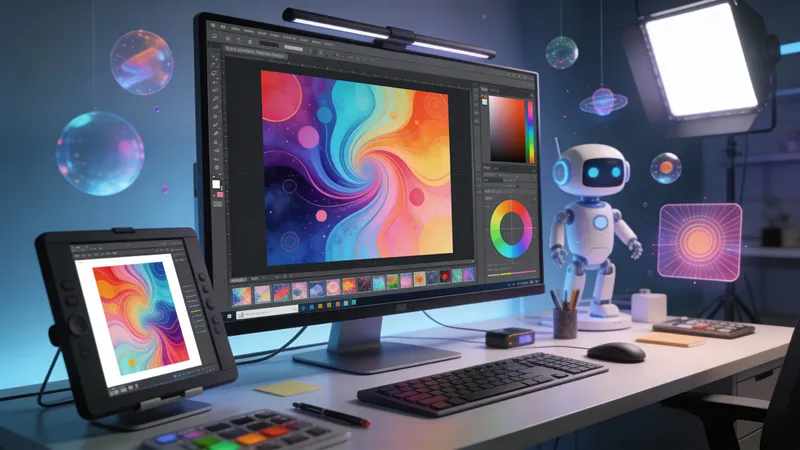
AI Media Creation: Your Visual Content Partner
Creating professional visual content used to require expensive software, specialized skills, and hours of work. Not anymore.
DatBot’s Media Creation actions put studio-quality image and video generation at your fingertips. Whether you’re a marketer needing scroll-stopping social graphics, an entrepreneur creating product photos, or a creator building your brand – these actions help you produce professional visuals in minutes.
The Visual Content Challenge
Every business and creator faces the same struggles:
- Professional Photography Costs: Hiring photographers and studios for product shots is expensive.
- Design Skills Gap: Not everyone can create compelling graphics from scratch.
- Video Production Complexity: Professional video traditionally requires equipment, editing skills, and time.
- Consistency: Maintaining a cohesive visual brand across all content is difficult.
- Speed: The demand for fresh visual content never stops.
DatBot’s Media Creation Actions: Two Powerful Categories
I. Image Generation Actions
Create stunning visuals for any purpose:
-
“Product Photo”: Create professional product photography with studio-quality lighting, custom backgrounds, and compositions optimized for e-commerce and marketing. Perfect for online stores, catalogs, and advertising.
-
“Social Media Graphic”: Generate scroll-stopping visuals for any platform with on-brand colors, bold typography, and attention-grabbing layouts. Optimized for Instagram, LinkedIn, Twitter/X, and more.
-
“Logo Concept”: Design distinctive logo concepts that capture brand essence, from minimalist wordmarks to iconic symbols and vintage emblems. Explore multiple directions quickly before committing.
-
“Custom Illustration”: Create unique artwork in any style – flat vector, hand-drawn, isometric, watercolor – perfect for blogs, presentations, marketing materials, and creative projects.
-
“Portrait/Headshot”: Generate professional portraits with flattering lighting and composition for LinkedIn profiles, team pages, author bios, or creative portfolios.
-
“Scene/Environment”: Build immersive environments from cozy interiors to futuristic cityscapes with cinematic atmosphere and rich detail. Ideal for presentations, storytelling, and creative projects.
II. Video Generation Actions
Bring your content to life with motion:
-
“Product Demo Video”: Showcase products with smooth motion, professional lighting, and clear feature demonstrations that convert viewers to customers. Perfect for e-commerce, landing pages, and social ads.
-
“Social Media Clip”: Create platform-optimized video content for TikTok, Reels, and Shorts with trending styles and attention-grabbing hooks. Stay relevant with fresh content.
-
“Explainer Scene”: Break down complex concepts with animated diagrams, visual metaphors, and clear educational storytelling. Make difficult topics accessible and engaging.
-
“Cinematic Shot”: Generate dramatic, film-quality footage with professional composition, smooth camera movement, and atmospheric color grades. Add production value to any project.
-
“Talking Head Video”: Create polished presenter setups with professional framing, flattering lighting, and broadcast-ready backgrounds. Perfect for courses, tutorials, and professional content.
How AI Media Creation Transforms Your Workflow
- Instant Production: Generate professional visuals in minutes, not days.
- Cost Efficiency: Skip expensive photo shoots, design agencies, and video production crews.
- Creative Freedom: Explore unlimited concepts and iterations without added cost.
- Brand Consistency: Maintain cohesive visual identity across all content.
- Scale Content: Produce the volume of visual content modern marketing demands.
Getting Started with Media Creation
- Define Your Vision: What do you need? Product shots? Social graphics? Video content?
- Select the Right Action: Choose the action designed for your specific visual need.
- Provide Clear Direction: Describe your desired style, mood, colors, and composition.
- Iterate and Refine: Review the output, adjust your direction, and generate variations.
Think of it as having a creative studio on demand.
Real-World Applications
- E-commerce: Professional product photos without expensive photography.
- Social Media Marketing: Fresh, engaging graphics and videos daily.
- Brand Development: Explore logo concepts and visual identity directions.
- Content Marketing: Custom illustrations and visuals for blogs and articles.
- Video Marketing: Promotional clips, explainers, and social content.
- Presentations: Custom visuals that make your slides stand out.
Ready to Create Professional Media?
Explore DatBot’s Media Creation actions. Transform your ideas into stunning visuals without the traditional barriers of cost, time, or technical skill. Whether you need a single product photo or a complete visual content library, AI is here to help you create better, faster.
For text-based content creation, check out our Marketing & Content Creation Guide to complement your visual strategy.



