
Ever wished you could try a different approach mid-conversation without losing what you already had?
That’s what chat versions do.
How It Works
Every message you send can be edited. When you edit and resend, DatBot doesn’t delete the old conversation—it creates a branch.
Think of it like a “save point” in a video game. You can go back, try something different, and keep both paths.
Creating a Branch
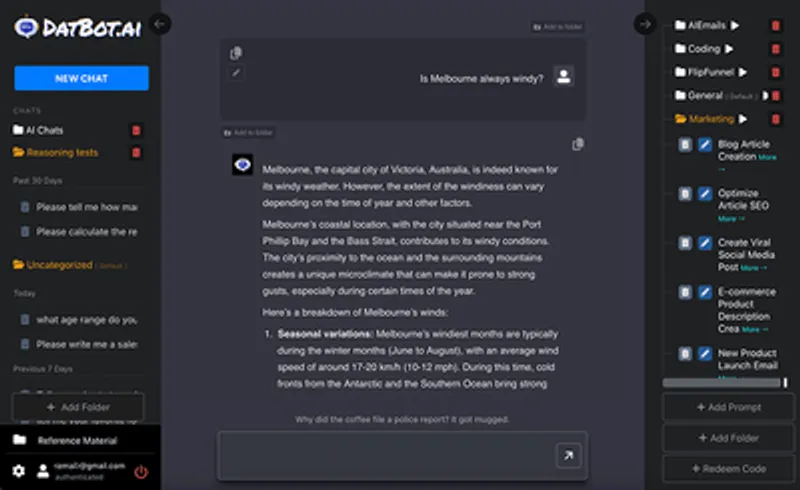
- Hover over any of your messages
- Click the pencil icon (edit)
- Modify your message
- Press Enter or click away
The AI generates a new response based on your edited message. Your original conversation still exists.
Navigating Versions
At the bottom of the chat, you’ll see something like:
< 2 / 3 >
This means:
- You’re viewing version 2
- There are 3 total versions
- Click < to go back
- Click > to go forward
Why This Matters
Experimentation
“What if I asked this differently?”
Edit, resend, compare. No need to start a new chat.
Refinement
First response was okay but not great? Edit your prompt to be more specific. Keep the original in case the refinement makes it worse.
A/B Testing Prompts
Trying to nail the perfect prompt? Create multiple versions with slight variations. Compare results side by side (by switching between versions).
Recovery
Accidentally took the conversation in a weird direction? Go back to an earlier version and try again.
Practical Example
Version 1: “Write me a blog post about productivity.”
Response is too generic.
Version 2: (Edit) “Write me a blog post about productivity for remote software developers who struggle with focus.”
Response is better but too long.
Version 3: (Edit) “Write me a 500-word blog post about productivity for remote software developers who struggle with focus. Use a casual tone.”
Perfect. And you still have versions 1 and 2 if you want to reference them.
Tips
-
Edit early in the conversation for bigger changes. Editing a message 10 messages ago creates a branch from that point.
-
Use versioning for important requests. If you’re crafting an important email or document, explore variations.
-
Don’t forget versions exist. That perfect response might be hiding in version 1 while you’re looking at version 3.
What Doesn’t Branch
- Changing settings (model, temperature) doesn’t create a version. Those changes apply to new messages only.
- Deleting messages doesn’t create versions—it just deletes.
Quick Reference
| Action | Result |
|---|---|
| Edit your message | Creates new version/branch |
| Click < | Previous version |
| Click > | Next version |
| 2/3 display | You’re on version 2 of 3 |
That’s versioning. Stop starting over. Just branch.



