
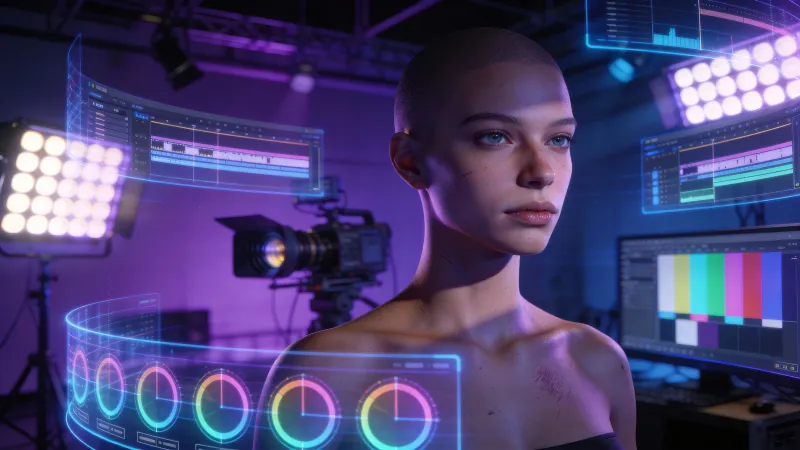
The videos look incredible. Cinematic lighting. Smooth camera movements. Realistic textures that make you pause and wonder if you’re watching real footage.
Then you notice it. The hands. A person’s fingers melt into each other like candle wax. A dog’s legs multiply mid-stride. Physics breaks in small ways that your brain registers before you can articulate what went wrong.
This is the state of text-to-video AI in 2026. Breathtaking capabilities sitting right next to frustrating limitations. The gap between demo reels and practical output is wide, and marketing materials from these companies don’t always make that clear.
I spent the last three months testing every major text-to-video platform for actual production work. Not cherry-picked demos. Real projects with real deadlines. Here’s what I found.
The Market in 30 Seconds
Four platforms dominate serious text-to-video generation: OpenAI’s Sora, Runway (Gen-4), Pika Labs, and Kling from Kuaishou. Google’s Veo exists but remains more limited in access. Smaller players like Luma, MiniMax, and Hunyuan fill specific niches.
Each platform has made genuine progress since their initial launches, but none has solved the core problem: generating consistent, controllable video that you can use without extensive post-production cleanup.
The technology is real. The marketing sometimes overstates where it actually sits.
What These Tools Do Well (And Don’t)
Text-to-video AI excels at atmospheric content. Establishing shots, mood pieces, abstract backgrounds, and B-roll footage that doesn’t need to show specific actions happening in a specific way. Need a sweeping aerial view of a forest at sunrise? These tools deliver.
They struggle with precision. Detailed human movements. Consistent character appearances across shots. Physics that behaves like physics. Text rendering. Anything where accuracy matters more than aesthetic impact.
As one Hacker News commenter put it when OpenAI first previewed Sora: “This is insane. But I’m impressed most of all by the quality of motion. I’ve quite simply never seen convincing computer-generated motion before.” That was true then, and remains partially true now. Motion has improved dramatically, but it still breaks in predictable ways when the model encounters actions it hasn’t seen enough training data for.
Another commenter on the same thread captured the persistent concern: “We are very close to losing video as a source of truth.” The realism has reached a threshold where distinguishing AI from reality requires close attention. That’s both the promise and the problem.
Sora: The Flashiest, Most Frustrating Option
Sora generates the most impressive raw output when everything works. The lighting is natural. Camera movements feel intentional rather than algorithmic. Environments have depth and texture that other models struggle to match.
The problem is reliability.
According to testing published at Humai.blog, a reviewer reported: “Only about 30% of my generations were genuinely excellent. Twenty percent were outright failures. The variance from identical prompts is wild.”
The same tester described a simple prompt: “A red sports car driving down a coastal highway at sunset.” Sora returned “a blue sedan on a mountain road at midday.” Not a subtle miss. A complete failure to follow basic instructions.
This inconsistency makes Sora difficult to rely on for production work, where you need predictable results within a deadline and budget. You might get magic, or you might burn through credits chasing something usable.
Pricing makes this worse. At $200/month for ChatGPT Pro with generation limits, Sora is the most expensive option. Competitors offer comparable quality at $15-50/month. The technology may justify premium pricing, but the reliability gap undercuts the value proposition for professional use.
When Sora works: Cinematic B-roll. Environmental footage. Atmospheric content where you have time to generate multiple options and select the best output.
When it doesn’t: Anything requiring prompt accuracy. Human figures doing specific actions. Tight production schedules where you can’t afford retries.
Runway Gen-4: The Professional Default
Runway has positioned itself as the serious tool for serious work. The interface is built for production workflows. Features like Motion Brush give you actual control over what moves and how. The Gen-4 model produces consistently usable output, even when it’s not spectacular.
Per a G2 reviewer quoted in industry analysis: “Runway has been the most reliable image-to-video tool I’ve used so far. The motion isn’t always as dramatic as some other models, but there’s less weirdness overall.”
That captures the Runway tradeoff. Less dramatic ceiling, higher floor. You’re less likely to generate something breathtaking, but you’re also less likely to waste an afternoon on failures.
The credit system frustrates users. A 10-second video costs 100 credits with Gen-3 Alpha. If you don’t like the result, another 100 credits for the next attempt. The cost of experimentation compounds fast, and Runway’s pricing incentivizes accepting “good enough” rather than iterating toward great.
Generation speed is reasonable. Testing logs show 40-90 seconds per render with low queue times during normal hours. Iteration feels snappy enough for creative exploration, though nowhere near real-time.
When Runway works: Professional production environments. Teams with established workflows. Projects where predictability matters more than pushing creative boundaries.
When it doesn’t: Experimental creative work where you want to generate dozens of variations to find unexpected results. The credit model penalizes exploration.
Pika Labs: Speed and Accessibility
Pika built its platform around speed and ease of use. The Turbo model averaged 12 seconds for a three-second video in benchmark testing, making it the fastest option for quick iteration. The Discord-based interface lowered the barrier to entry when other platforms required waitlists and subscriptions.
According to user feedback collected via InVideo’s comparison: “Kling handles motion like a pro. Even during fast pans or dynamic subject movement, the model keeps detail intact rather than breaking or smearing.” But on Pika specifically, the community praised how well it responds to prompts: attempting to incorporate more ideas even when prompts get complicated, where other models ignore details.
Pika 2.0 and subsequent versions have improved quality substantially. The “Pikaffects” feature enables creative effects that lean into stylization rather than photorealism. This plays to AI’s strengths rather than fighting its weaknesses.
The wait time problem persists. Users consistently report “High Demand” messages leading to hours-long waits, generations that never complete, and frustration with queues that other platforms handle more gracefully. When Pika works, it’s fast. Getting to the point where it works can take patience.
Pricing is reasonable. The $10 Starter pack provides 700 credits for commercial use. For creators testing ideas before committing to a full production, this accessibility matters.
When Pika works: Quick social content. Stylized video where photorealism isn’t the goal. Testing concepts before investing in higher-quality generation elsewhere.
When it doesn’t: Photorealistic footage. Tight deadlines where queue times could blow schedules. Professional contexts where stability matters.
Kling: The Dark Horse
Kling comes from Kuaishou, a Chinese company, and has quietly become competitive with the Western leaders. The model handles complex physics better than expected, with one tester noting “beautiful parallax and believable wheel rotation with correct motion blur on background cars.”
The company behind it creates some hesitation for users concerned about data privacy or content policies. But for pure output quality, Kling deserves evaluation alongside Runway and Pika.
According to user discussion on Reddit: “The model is pretty cool, the company is honestly really uncool. Still waiting for a decent competitor but I can’t deal with Kwai honestly.”
That captures the tension. Quality versus comfort. For some users, the output justifies the platform choice. Others won’t engage regardless of capability.
Generation time runs longer. Testing shows 90-180 seconds per render with occasional queues. Retries happen when physics gets “too ambitious” for the model to handle. The ceiling is high, but reaching it requires patience.
Motion Brush is a differentiator. Kling offers control over which elements move and how, something Runway has but Pika and Sora lack. For precise creative work, this matters.
When Kling works: Photorealistic footage. Complex motion. Projects where quality justifies longer generation times.
When it doesn’t: Fast iteration. Environments where platform origin matters for compliance or comfort.
Google Veo: Limited Access, Strong Output
Veo exists and produces excellent results. Access remains constrained compared to competitors. For teams that can get in, the quality competes with or exceeds Sora while maintaining better consistency.
The integration with Google’s broader AI ecosystem could become an advantage as these tools mature. For now, limited availability makes it hard to recommend as a primary workflow tool.
Practical Production Reality
Here’s what actually using these tools for real projects taught me.
Budget for failures. Even the best platform generates unusable output 20-40% of the time. Plan your costs and timelines accordingly. If you need five usable clips, budget for generating fifteen.
Atmospheric content works. Sunsets, cityscapes, abstract motion, environmental B-roll: this is where AI video earns its keep. The lack of precise control matters less when the content is inherently loose.
Human figures are treacherous. Every platform struggles with hands, gait, and facial expressions during motion. If your video centers on a person doing something specific, prepare for extensive iteration or reconsider the approach.
Consistency across shots doesn’t exist yet. You cannot generate a character in one clip and reliably reproduce them in another. Narrative content requiring visual continuity still needs traditional production methods or heavy post-production work.
The technology moves quarterly. What I tested three months ago is noticeably worse than what I’m testing now. Wait six months and re-evaluate. The platforms will look different.
Which Tool For Which Job
Quick social content with flexible requirements: Pika. Fast, cheap, stylized output that doesn’t pretend to be photorealistic.
Professional production with predictable needs: Runway. The workflows are mature, the output is consistent, and the features support actual editing processes.
Maximum quality with time to iterate: Sora or Kling. Accept the variance, generate more than you need, select the winners.
Budget-conscious exploration: Pika’s free tier or Kling’s free credits. Test before committing.
Enterprise environments with compliance requirements: Runway or Veo. The others have platform or geographic considerations that may not fit governance frameworks.
The Honest Assessment
These tools are impressive engineering. They’re also not ready to replace traditional video production for most commercial applications.
They work well for: B-roll, atmospheric content, concept visualization, social media fills, and creative exploration.
They struggle with: Scripted content, consistent characters, precise actions, anything where accuracy matters.
According to industry projections, the AI video generation market will grow from $534 million in 2024 to over $2.5 billion by 2032. The investment and talent pouring into this space guarantee rapid improvement. What’s experimental today will be practical tomorrow.
The question isn’t whether AI video generation will matter for marketing teams. It will. The question is when to integrate it into your workflow, and how deeply.
For now, treat these tools as powerful assistants for specific tasks rather than replacements for production capability. Use them where they excel. Don’t force them where they fail. And keep watching, because the ground is shifting fast.
The moment that changes everything might be six months away. Or it might be next quarter. Nobody knows, including the companies building these systems.
That uncertainty is part of the appeal.



