
Staring at a blank page feels different now. The cursor still blinks. The pressure to produce remains. But the tools have changed, and so has the relationship between writer and machine.
Writers who produce consistently at scale have developed specific patterns for when AI enters the process and when it stays out. These workflows vary. Some treat AI as a brainstorming partner that disappears after the outline stage. Others use it throughout, with heavy revision. What separates the approaches that work from those producing forgettable content is not the amount of AI involvement, but the quality of human judgment applied at each stage.
This piece breaks down a workflow that balances speed with substance, drawing on what practitioners have learned through iteration and failure over the past two years of widespread AI writing adoption.
Research: The Foundation Nobody Wants to Build
Most writers skip research or treat it as an afterthought. They have a topic in mind. They know generally what they want to say. Why spend hours reading before writing?
This shortcut creates a specific problem: the resulting content stays at the surface level of whatever the writer already knew, supplemented by whatever AI “knows” from its training data. The piece may be grammatically correct and structurally sound, but it contains nothing the reader could not have generated themselves by asking the same AI the same question.
Research builds the foundation that makes everything else possible. It provides specific examples, real data, unexpected angles, and genuine expertise that AI cannot fabricate.
What AI Does Well in Research
AI excels at synthesis. Feed it a topic and it can quickly map the landscape: main perspectives, common debates, technical terminology, historical context. Think of it as a briefing document prepared by a knowledgeable assistant who has read widely but lacks the ability to verify sources or provide recent data.
This briefing accelerates your own research. You know what to look for. You understand the vocabulary. You can identify gaps in the AI’s knowledge that represent opportunities for original content.
Use AI to generate questions worth answering. Ask it to identify the most contested aspects of your topic, the areas where experts disagree, the practical problems that remain unsolved. These questions become research targets.
What AI Cannot Do
AI cannot access the internet in real time (unless using specific tools with that capability). It cannot verify that a statistic is current or that a source actually said what it claims. It cannot interview someone. It cannot conduct original research. It cannot tell you what happened last week.
The research stage is where your unique access matters. Your conversations with customers. Your industry contacts. Your ability to pick up the phone and ask someone a question. These inputs create content that AI alone could never produce.
A Research Workflow That Works
Start with AI generating a topic overview. Identify the claims you want to make. For each claim, find a credible, recent source. If you cannot find one, either drop the claim or acknowledge the uncertainty.
Build a “research document” for each piece. Include sources, quotes, data points, and your own observations. This document becomes the input for the next stage.
Time investment: 30 minutes for AI briefing, 60 to 90 minutes for verification and original research. Compared to the 3 to 4 hours this used to take, the gains are real. But the human research time cannot be eliminated without the quality suffering.
Outlining: Where AI Earns Its Keep
The outline stage is where AI assistance delivers the clearest value without the clearest risks. According to industry surveys, over 70% of content marketers now use AI for outlining, making it the most common AI use case in content creation.
Why? Because outlining benefits from generating many options quickly and selecting among them. AI can produce five outline variants in the time it takes you to sketch one. You can then combine the best elements, add your own sections, and arrive at a structure faster than working solo.
Building a Useful Outline with AI
Specificity determines quality. “Give me an outline for a blog post about AI writing” produces generic output. “Give me an outline for a 1,500 word post arguing that most AI writing advice fails because it ignores the research stage, aimed at B2B content marketers, with sections covering research, outlining, drafting, and editing” produces something you can work with.
Include in your prompt:
- Your central argument or angle
- The target audience and their knowledge level
- The key points you want to cover
- Approximate length and section count
- Any specific elements to include or avoid
Then iterate. The first outline is a draft. Push back on what does not work. “Combine sections two and three.” “Add a section addressing counterarguments.” “Move the conclusion earlier and end with something unexpected.” This dialogue refines the structure faster than thinking in isolation.
Making the Outline Yours
The outline AI generates is a starting point. It will tend toward the conventional structure for your topic because that structure appears most frequently in its training data. Your job is to identify where convention serves the reader and where it produces predictable content that fails to stand out.
Add sections that only you can write. Cut sections that repeat what every other article covers. Rearrange based on what you know about your audience and what you want them to do after reading.
A useful test: does this outline lead somewhere unexpected? If every section header could appear on a dozen competing articles, the outline needs more of your perspective baked in.
Drafting: The Section by Section Approach
The common mistake: asking AI to write the complete article in one prompt. This produces coherent but generic content that sounds like every other AI-generated piece. The paragraphs flow. The structure holds. But nothing sticks in memory.
The alternative: drafting section by section, with specific context for each.
Why Section Drafting Produces Better Results
When you prompt AI for a complete article, it optimizes for coherence at the expense of depth. It produces prose that satisfies the request without genuine engagement with the material. The result reads like a summary of what everyone already knows.
Section by section drafting changes the dynamic. For each section, you provide:
- The section heading
- What this section needs to accomplish
- Specific points, examples, or data to include
- The tone and style you want
- Approximate word count
With tighter constraints, AI produces more focused output. You can evaluate each section before moving on. Problems surface early rather than requiring a complete rewrite.
Where AI Falls Short in Drafting
Opening paragraphs represent a specific weakness. AI defaults to throat-clearing: “In today’s digital landscape…” or “When it comes to content marketing…” These openings signal AI generation and fail to hook readers. Write your own opener. Set the voice before AI enters.
Transitions between sections often feel generic. AI handles each section competently but makes the connections mechanical. Review these bridges and add your own.
Unique insights cannot be delegated. AI gives you the consensus view. Your observations, experiences, and contrarian takes come from you. Writer Bronwynne Powell captured this in her blog post on AI writing process: “AI is now part of my everyday writing life but it doesn’t replace me.” The statement reflects what most successful practitioners have learned. The tool handles production. The thinking remains human.
The Voice Problem
AI prose tends toward a specific style: fluent, neutral, slightly corporate. Sentences of similar length and complexity. Vocabulary that avoids strong choices. This style serves certain purposes but creates content that sounds interchangeable with millions of other AI-generated pieces.
Developing your own voice requires conscious effort at the drafting stage. Add specific word choices that reflect how you actually speak. Vary sentence structure deliberately. Include asides, qualifications, and personality markers that distinguish your writing from default AI output.
This is not about “humanizing” AI content. It is about ensuring that AI-generated drafts serve as raw material for something genuinely yours rather than finished product with your name attached.
Editing: Where Human Judgment Matters Most
The editing stage determines whether AI-assisted content rises above the generic flood. The majority of marketers edit AI content before publishing. The ones achieving good results are not just fixing typos. They are substantially rewriting.
First Pass: Accuracy
Read for facts. Every statistic needs a source. Every claim needs verification. AI confidently states things that are not true. It does not know the difference between accurate and plausible. You do.
Remove anything you cannot confirm. Flag uncertain claims for additional research. The credibility of your content depends on getting this right.
Second Pass: Voice
Read for voice. Does this sound like you? Mark sentences that feel generic. Rewrite them. Add the specific language choices, the personality markers, the slightly odd turns of phrase that make content recognizable as yours.
Powell’s description of the editing mindset applies here: “These are suggestions, not instructions. I pick what I like and ignore the rest.” AI provides raw material. You shape it into something worth publishing. The relationship is collaborative but not equal. Your judgment overrides.
Third Pass: Value
Read for value. Does each section earn its place? Cut the padding. Expand the parts that matter. Ask whether a reader would share this, bookmark it, or remember it tomorrow. If the answer is no, the content needs work regardless of how polished the prose appears.
Using AI for Editing Assistance
Interestingly, AI can help with the editing stage as well. It can identify awkward phrasing, suggest tighter alternatives, catch inconsistencies. The key is treating these as suggestions rather than commands. AI will try to smooth everything into consistent, inoffensive prose. Sometimes the awkward sentence is the interesting one. Sometimes your specific word choice serves a purpose the AI cannot perceive.
On Hacker News, a commenter named CuriouslyC described this balance well: “AI is a great writing assistant, if a human is in the driver’s seat determining WHAT to write and retaining creative control over the outputs it can only lead to better creative writing.” The division of labor matters. AI handles mechanical tasks. Humans retain creative authority.
Quality Control: The Final Gate
Before publishing, content passes through a quality gate that AI cannot manage.
The Checklist
Does this piece say something worth saying? Not just competent coverage of a topic, but genuine value for the reader. If a search result already says this better, why publish?
Does this piece reflect genuine expertise? Google’s emphasis on E-E-A-T (Experience, Expertise, Authoritativeness, Trustworthiness) means content needs credible foundations. AI can produce text that looks expert. Only genuine experience can produce text that is expert.
Does this piece sound like you? Readers develop relationships with writers whose voice they recognize. Content that could have been written by anyone builds no such relationship.
Does this piece serve the reader’s actual need? Not the topic they searched, but the problem they are trying to solve. Understanding the difference requires human judgment that AI lacks.
The “Would I Share This?” Test
Before publishing, ask whether you would share this content if someone else had written it. Not share out of obligation or professional courtesy, but share because it genuinely helped or interested you.
Most AI-generated content fails this test. It satisfies a request without creating value. Your quality gate should filter for content that passes.
The Rhythm of Production
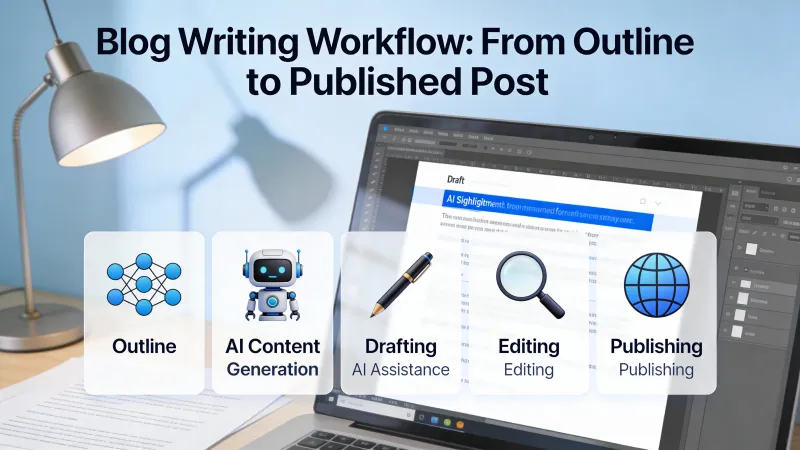
With practice, a workflow emerges. Research feeds outlining. Outlining structures drafting. Drafting produces raw material. Editing shapes that material into something worth publishing. Quality control ensures you ship work you are proud of.
The timeline for a 1,500 word piece using this workflow:
- Research: 90 minutes (30 AI briefing, 60 verification and original research)
- Outlining: 20 minutes (including iteration)
- Drafting: 45 minutes (section by section with specific prompts)
- Editing: 90 minutes (three passes minimum)
- Quality control: 15 minutes (checklist and final read)
Total: approximately 4 hours. Compared to the 8 to 10 hours this used to require, the improvement is substantial. But notice that editing time remains significant. That is where your expertise appears.
What the Workflow Cannot Fix
No workflow transforms someone without expertise into someone with expertise. AI can help you articulate what you know more efficiently. It cannot create knowledge you lack.
Content that succeeds draws on genuine experience: observations from your work, insights from your industry, perspectives that come from doing rather than reading. If you lack that foundation, AI assistance produces polished mediocrity rather than polished excellence.
The best writers using AI workflows spend time on activities that build expertise: talking to customers, analyzing data, conducting experiments, staying current with their field. These activities cannot be delegated. They are the inputs that make everything else worthwhile.
The Uncomfortable Truth
AI makes content production faster. It does not make content production easier in the ways that matter. The research still requires judgment. The editing still requires taste. The quality gate still requires standards.
What changes is where time goes. Less time generating prose. More time ensuring that prose says something worth saying. Less mechanical labor. More creative labor.
For writers who relied on volume alone, this shift is uncomfortable. For writers who bring genuine expertise and clear perspective, AI assistance amplifies what they already do well. The technology accelerates. The fundamentals remain unchanged.
Writing well with AI assistance is not about finding the right prompts or the optimal workflow. It is about clarity regarding what you want to say and why anyone should care. That clarity comes from you.



